

Absolute paths
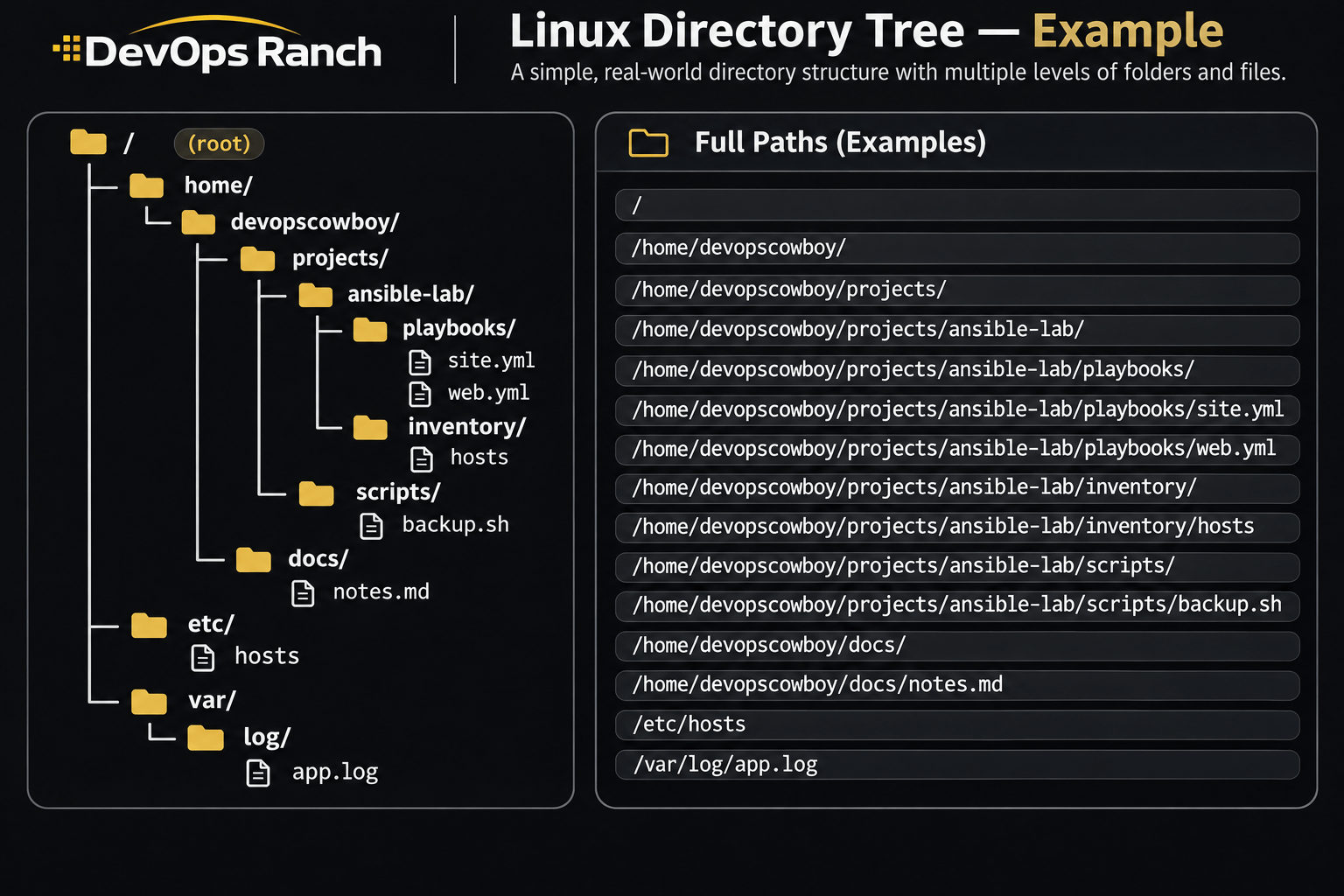
An absolute path starts with /. That slash is the root, the top of the filesystem, and the path lists every directory from there down to the file. It names the same place no matter which directory you are in.
A relative path has no leading /. It starts from the directory you are in now, the one pwd prints.
Cheat sheet
Scheduling and Time
cron, at, systemd timers, and the clock on RHEL.
On this page
Scheduling and time
crontab -e
crontab -l
systemctl list-timers
timedatectl
timedatectl list-timezones
sudo timedatectl set-timezone America/Chicago
sudo timedatectl set-ntp true
chronyc sources -v
chronyc tracking
crontab -e edits the current user’s crontab. The five fields are minute, hour, day of month, month, and day of week.
This crontab line runs the script every five minutes. It is a file line, not a shell command. cron’s PATH is minimal, so the command and everything it calls should be absolute paths.
*/5 * * * * /usr/local/bin/backup.sh
echo '/usr/local/bin/report.sh' | at now + 10 minutes
atq
at runs a command once. It comes from the at package, and atd has to be running. atq lists the queue. systemctl list-timers is the systemd equivalent of “what is scheduled”, including the next run time.
timedatectl shows the clock, the timezone, and whether NTP is on. set-ntp true enables chronyd. chronyd is the default NTP client on RHEL 7, 8, and 9. In chronyc sources, the line marked ^* is the source the clock is following. chronyc tracking shows the current offset.
RHEL 7 can run ntpd from the ntp package instead. RHEL 8 and 9 removed that package. Stop chronyd first, or both daemons fight over the clock. ntpstat is the status command in the RHEL 7 ntp chapter. ntpq -p is the peer list from ntpq(8), which that chapter references. RHEL 8’s migration table maps ntpd to chronyd and ntpq to chronyc.
sudo systemctl stop chronyd
sudo systemctl disable chronyd
sudo yum install -y ntp
sudo systemctl enable ntpd
sudo systemctl start ntpd
ntpstat
ntpq -p
In a crontab, an unescaped
%is a newline and the rest of the line becomes stdin for the command. Write\%when the command itself needs a percent sign.