

Absolute paths
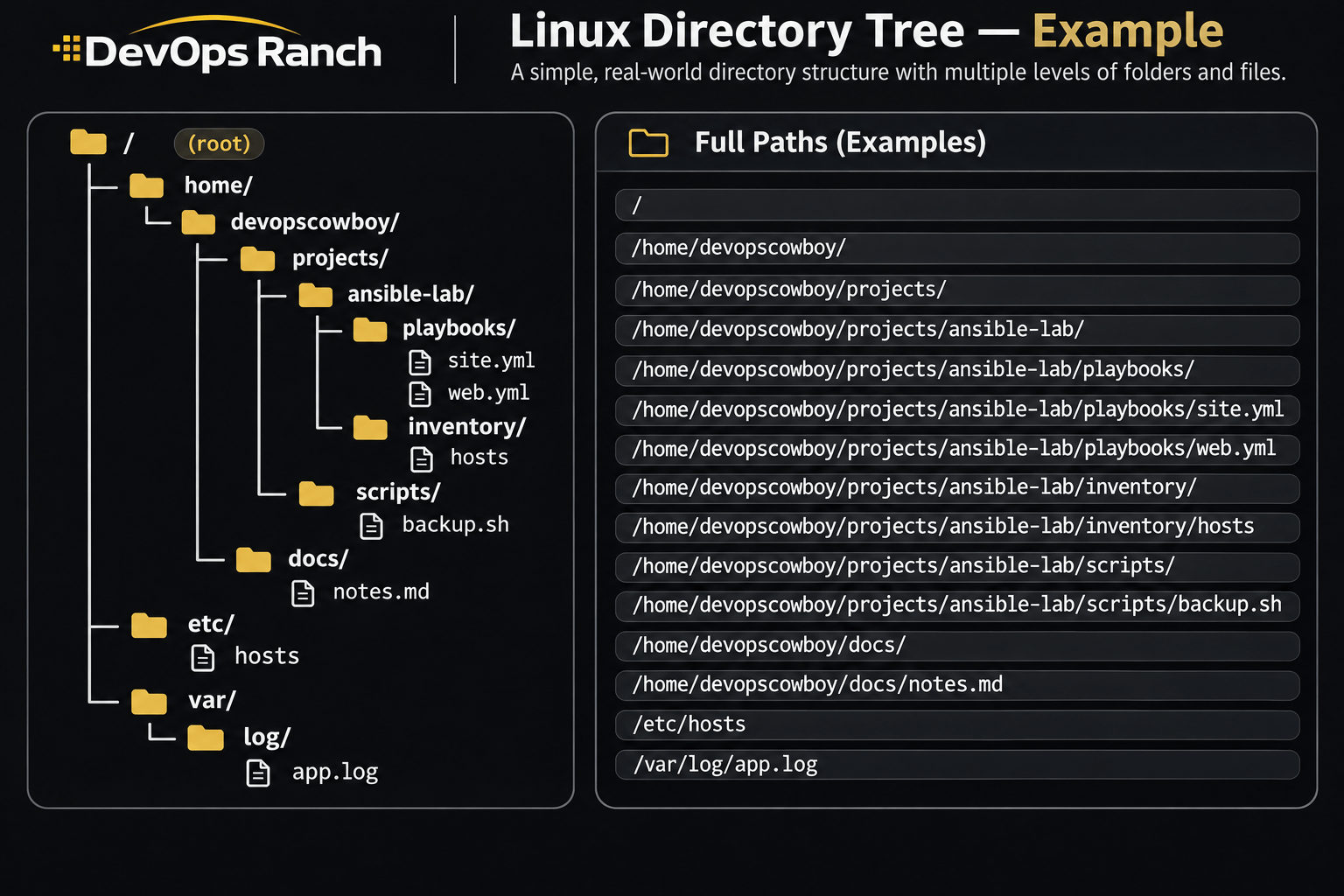
An absolute path starts with /. That slash is the root, the top of the filesystem, and the path lists every directory from there down to the file. It names the same place no matter which directory you are in.
A relative path has no leading /. It starts from the directory you are in now, the one pwd prints.
Cheat sheet
Packages
Install, query, and undo packages with dnf and yum.
On this page
Packages
RHEL 8, 9, and 10. dnf is the package manager. On RHEL 8 and 9 the yum command still exists and calls dnf. Prefer dnf on RHEL 9 and 10.
sudo dnf install -y nginx
sudo dnf provides '*/semanage'
sudo dnf repolist
sudo dnf history
sudo dnf history undo 12
RHEL 7. yum is the package manager.
sudo yum install -y nginx
sudo yum provides '*/semanage'
sudo yum repolist
sudo yum history
sudo yum history undo 12
rpm -qf /usr/bin/ss
provides answers which package ships a file, including one you have not installed yet. rpm -qf answers which installed package owns a path that is already on disk. That rpm query is the same on RHEL 7, 8, 9, and 10. history undo 12 reverses that one transaction. dnf history rollback 12 undoes every transaction after that id, which is a wider change. On RHEL 7 the same commands start with yum instead of dnf.
semanage is not installed on a minimal host. RHEL 8, 9, and 10 ship it in policycoreutils-python-utils. RHEL 7 ships it in policycoreutils-python.