

Absolute paths
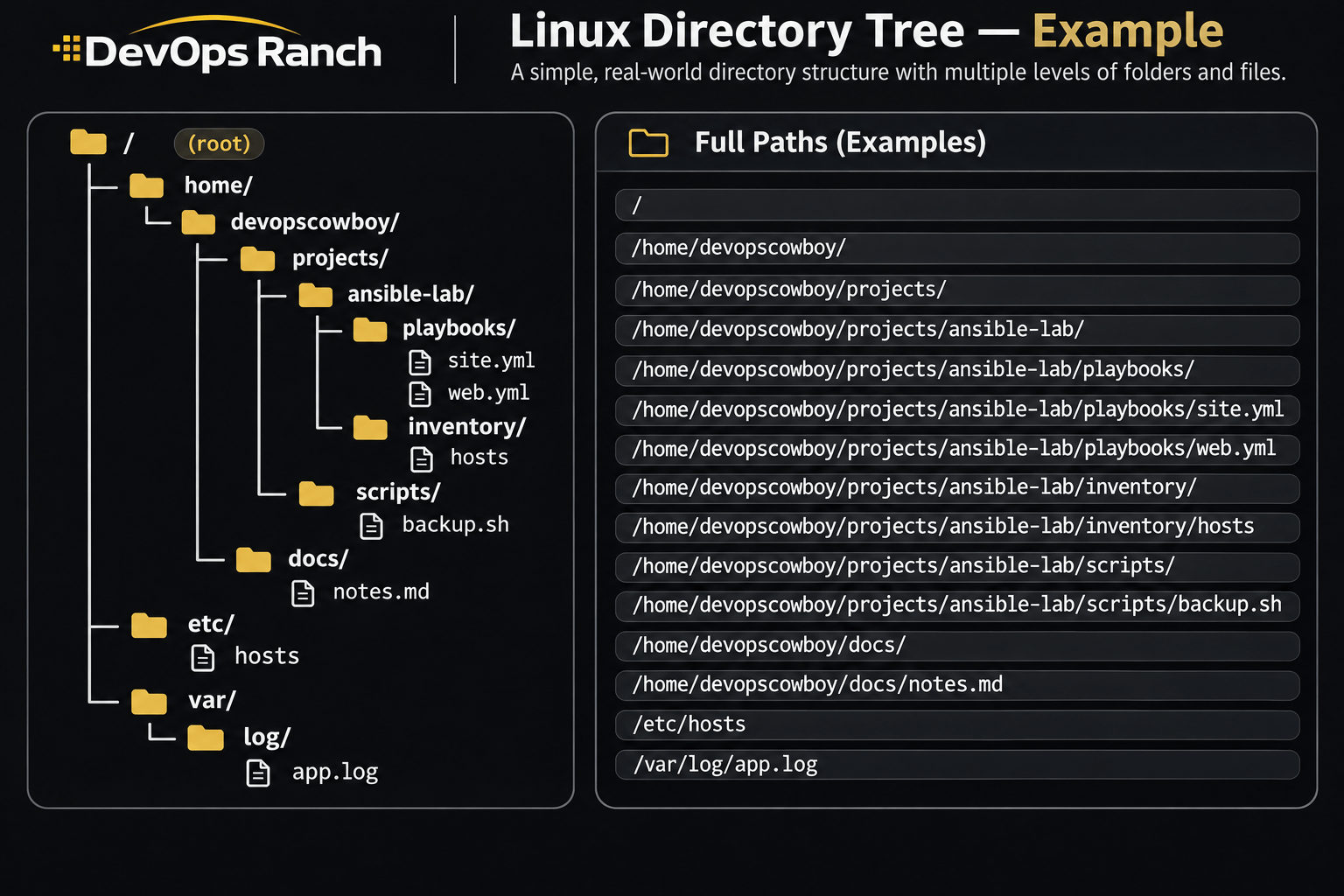
An absolute path starts with /. That slash is the root, the top of the filesystem, and the path lists every directory from there down to the file. It names the same place no matter which directory you are in.
A relative path has no leading /. It starts from the directory you are in now, the one pwd prints.
Cheat sheet
Logs and the Journal
journalctl and the text logs RHEL keeps under /var/log.
On this page
Logs and the journal
journalctl -b -p err
journalctl -u sshd --since '1 hour ago'
journalctl -xe
journalctl --list-boots
journalctl -b -1
sudo tail -f /var/log/secure
-b is this boot. -p err is priority err and everything more severe (crit, alert, emerg), not err alone. -u sshd is one unit, and --since takes phrases like 1 hour ago and yesterday. -x adds the short explanation catalog and -e jumps to the newest entries, which is an interactive view. --list-boots shows the boots the journal still has, and -b -1 is the previous one.
sudo mkdir -p /var/log/journal
sudo systemd-tmpfiles --create --prefix /var/log/journal
sudo systemctl restart systemd-journald
The default Storage=auto in /etc/systemd/journald.conf keeps the journal under /run/log/journal, which is gone after reboot, unless /var/log/journal exists. Creating that directory and restarting systemd-journald makes auto persist. Setting Storage=persistent in the config file does the same thing even if someone later removes the directory. Confirm with journalctl -b -1 after the next reboot.
A host that has never had
/var/log/journalloses this boot’s journal on the next reboot.tail -f /var/log/secureis the text copy of SSH and sudo on RHEL.