

Absolute paths
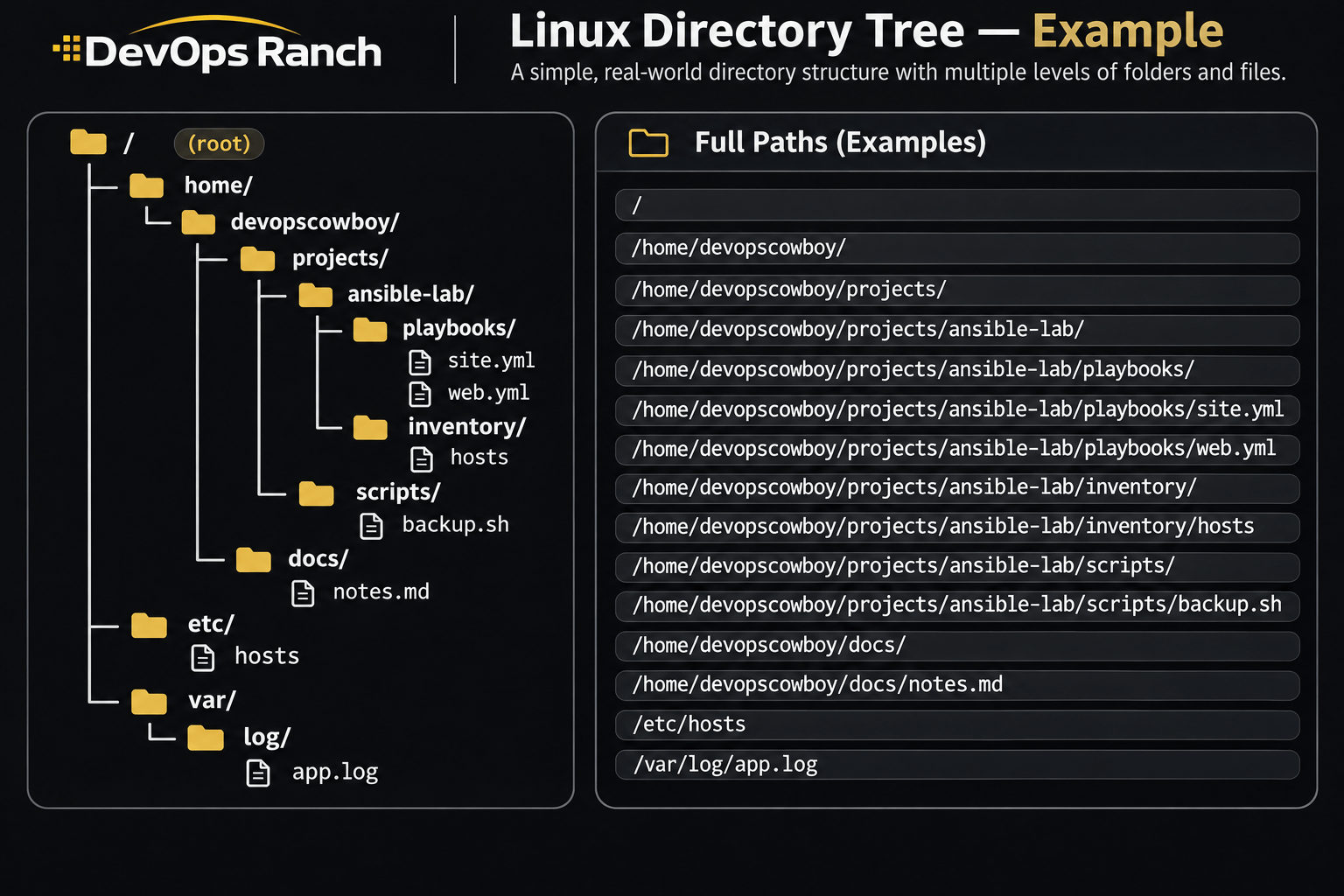
An absolute path starts with /. That slash is the root, the top of the filesystem, and the path lists every directory from there down to the file. It names the same place no matter which directory you are in.
A relative path has no leading /. It starts from the directory you are in now, the one pwd prints.
Cheat sheet
Services and Boot
systemctl, boot targets, unit logs, and resetting a lost root password.
On this page
systemd
systemctl status nginx
sudo systemctl enable --now nginx
sudo systemctl reload nginx
sudo systemctl restart nginx
sudo systemctl daemon-reload
systemctl --failed
sudo systemctl edit nginx
journalctl -u nginx -n 100 --no-pager
journalctl -u nginx -f
enable --now starts the unit and starts it again on the next boot. reload tells the process to reread its config when the unit supports ExecReload. restart tears the process down. systemctl --failed lists units that did not come up.
systemctl edit nginx writes a drop-in under /etc/systemd/system/nginx.service.d/ and runs daemon-reload for you. A unit file you edited by hand still needs sudo systemctl daemon-reload before a restart will see it. status shows whether the unit is running and the last few log lines. journalctl -u is the full log for that unit. --no-pager matters in scripts, where an interactive pager would hang.
enable --now is the combined form. RHEL 7’s System Administrator’s Guide shows start and enable as two commands. Prefer systemctl on RHEL 7, 8, 9, and 10.
sudo systemctl start nginx
sudo systemctl enable nginx
Boot targets and recovery
systemctl get-default
sudo systemctl set-default multi-user.target
sudo systemctl isolate rescue.target
sudo grubby --default-kernel
sudo grubby --update-kernel=ALL --args='console=ttyS0'
sudo grubby --update-kernel=ALL --remove-args='console=ttyS0'
get-default prints the target the host boots to. multi-user.target is text mode. graphical.target is the desktop. isolate rescue.target switches the running system to rescue, and it asks for the root password. grubby --default-kernel is the kernel that boots next. --args appends a kernel argument on every installed kernel. --remove-args takes it back off.
Resetting a forgotten root password is a GRUB edit, then the same shell on every release. passwd with no user sets the root password inside the chroot. /.autorelabel makes SELinux relabel on the next boot, which restores the context on /etc/shadow. The relabel can take a long time and the host reboots itself when it finishes.
RHEL 7 and RHEL 8: on the GRUB menu, press e on the default kernel. Append rd.break to the end of the kernel line. On RHEL 7 that line starts with linux16. On RHEL 8 it starts with linux. Press Ctrl+x. The prompt is switch_root.
mount -o remount,rw /sysroot
chroot /sysroot
passwd
touch /.autorelabel
exit
exit
RHEL 8’s kernel documentation also remounts / read-only before you leave the chroot: mount -o remount,ro /, then the two exits. RHEL 7’s procedure stops at touch /.autorelabel and the exits.
RHEL 9: the default kernel entry often asks for the root password you do not have (the rd.break break asks for maintenance credentials). Select the rescue kernel, the menu line with rescue in the name, press e, append rd.break to the line that starts with linux, and press Ctrl+x. If a maintenance prompt appears, press Enter. Then run the same four commands and the two exits.
A service will not start
Work down the list. Stop at the first answer that names the fault.
systemctl status app
journalctl -u app -b -n 50 --no-pager
status has the exit code and the last log lines. journalctl -u is the rest of this boot.
nginx -t
sshd -t
httpd -t
sudo ss -tulpn | grep ':80'
sudo ausearch -m AVC -ts recent
sudo firewall-cmd --list-all
sudo systemctl daemon-reload
sudo systemctl restart app
Use the daemon’s own config test when it has one. ss shows whether another process already has the port. An AVC on a new path or a new port is an SELinux label or port type, which semanage and restorecon fix. A service that is running on the host and unreachable from outside is usually the firewall. daemon-reload belongs after a unit file edit, before the restart.