

Absolute paths
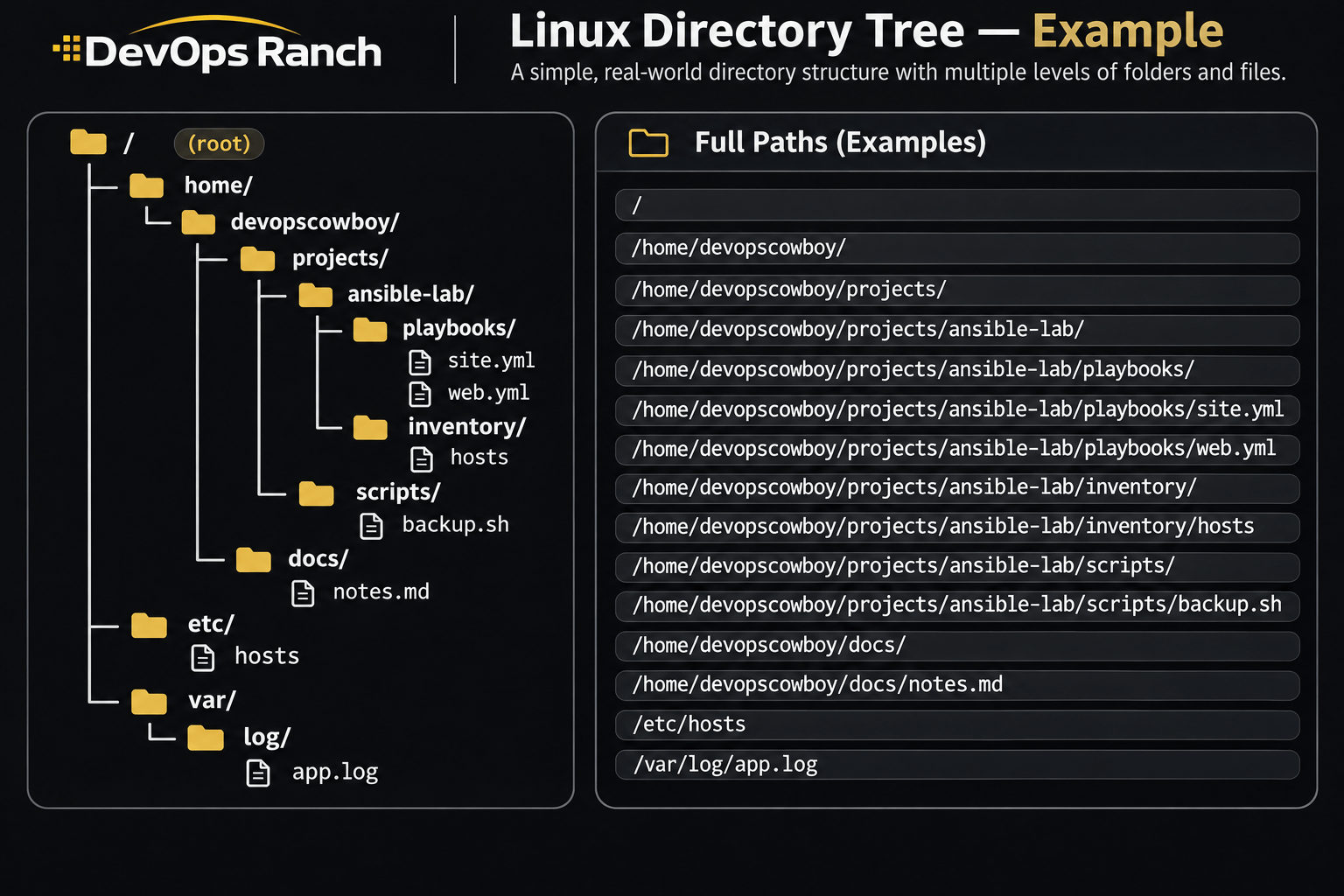
An absolute path starts with /. That slash is the root, the top of the filesystem, and the path lists every directory from there down to the file. It names the same place no matter which directory you are in.
A relative path has no leading /. It starts from the directory you are in now, the one pwd prints.
Cheat sheet
Users and Groups
Accounts, groups, sudo, and SSH keys.
On this page
Users, groups, and sudo
sudo useradd -m -s /bin/bash alice
sudo passwd alice
sudo usermod -aG wheel alice
sudo groupadd devs
sudo usermod -aG devs alice
sudo chage -M 90 -W 7 alice
sudo chage -l alice
-m creates the home directory and -s sets the login shell. On RHEL, membership in wheel is what /etc/sudoers turns into sudo. -aG appends a supplementary group.
chage -M 90 sets the password lifetime to 90 days and -W 7 warns 7 days ahead. chage -l prints the aging without changing it.
echo 'alice ALL=(ALL) NOPASSWD: ALL' | sudo tee /etc/sudoers.d/alice
sudo chmod 440 /etc/sudoers.d/alice
sudo visudo -c -f /etc/sudoers.d/alice
A drop-in under /etc/sudoers.d beats editing /etc/sudoers. visudo -c -f parses that file before you log out. NOPASSWD: ALL is a lab grant. On a real host, replace ALL with the commands that account should run.
usermod -G devs alicewithout-aremoves alice from every other supplementary group, includingwheel. sudo ignores files in/etc/sudoers.dwhose names contain a.or end in~.
SSH keys and file transfer
ssh-keygen -t ed25519 -C 'devopscowboy@laptop'
ssh-copy-id alice@web01
scp app.tar.gz alice@web01:/tmp/
ssh-keygen -t ed25519 writes ~/.ssh/id_ed25519 and the .pub file. ssh-copy-id appends the public key to authorized_keys on the host. scp copies one file. The path after the colon is where the file lands on the other host.
sshd refuses the key when
~/.sshis not mode700,authorized_keysis not mode600, or the home directory is writable by the group.StrictModeschecks all three.