

Absolute paths
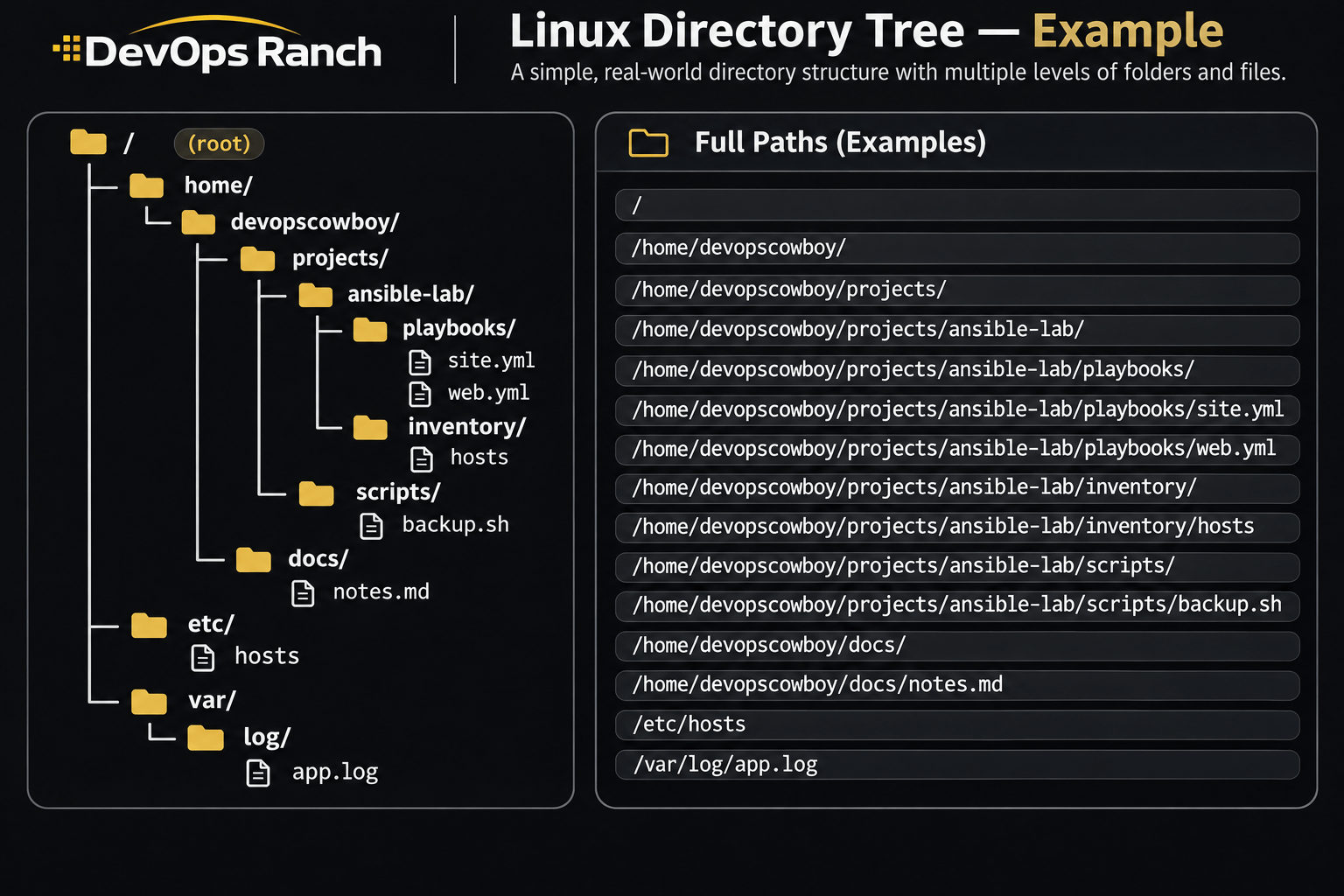
An absolute path starts with /. That slash is the root, the top of the filesystem, and the path lists every directory from there down to the file. It names the same place no matter which directory you are in.
A relative path has no leading /. It starts from the directory you are in now, the one pwd prints.
Cheat sheet
Processes and Jobs
What is running, which process owns a port, and how to tune it.
On this page
Processes and ports
ps aux
ps aux --sort=-%mem | head
ps aux --sort=-%cpu | head
ss -lntp
ss -tulpn
pgrep -a nginx
top
kill PID
ss -lntp lists listening TCP ports and, when you have permission, the process that owns each one. ss -tulpn adds UDP. Run either with sudo if the process column is blank. pgrep -a prints the pid and the full command line. In top, P sorts by CPU and M sorts by memory.
kill sends SIGTERM, which lets the process shut down. kill -9 PID sends SIGKILL, which cannot be caught. Try SIGTERM first.
Performance and tuning
uptime
vmstat 1 5
ps aux --sort=-%mem | head
nice -n 10 ./batch.sh
sudo renice -n 5 -p 4321
pkill nginx
tuned-adm active
sudo tuned-adm recommend
sudo tuned-adm profile throughput-performance
uptime prints load averages over 1, 5, and 15 minutes. Load is a count of runnable work, not a percentage. A load of 4 on a 4-CPU host is a busy machine, not a 4% one. vmstat 1 5 samples CPU, memory, swap, and IO once a second, five times. The first line is the average since boot. Read the lines after it.
nice -n 10 starts a process with nice 10. The range is -20 (most CPU) to 19 (least). On RHEL, renice -n 5 -p 4321 sets that process’s nice value to 5. It does not add 5 to the current value. Only root can lower a nice value. pkill nginx matches the process name. Make the name specific. A short pattern can match more than the process you meant.
tuned is the RHEL tuning daemon. active is the profile in use, recommend is the one tuned would pick for this hardware, and profile applies one. Common names are throughput-performance, latency-performance, and virtual-guest.